If you work in a warehouse, distribution center, or any environment where you scan QR codes as part of daily operations, you've probably hit this wall: the QR code contains the data you need, but not in the format your system expects.
Maybe a supplier's QR codes encode a 30-character string, but your inventory system only needs characters 8 through 20. Maybe you need to prepend a warehouse code to every scanned value. Maybe you receive product codes from three different vendors and each one formats them differently, but your WMS needs them all in one standard layout.
The usual workaround is painful: scan the code, copy the text, open a notes app or spreadsheet, manually extract the part you need, type in the extra characters, then paste it into wherever it needs to go. Multiply that by a hundred scans a day and it becomes one of those invisible time sinks nobody talks about because "that's just how it works."
It doesn't have to be.
The template approach
The core idea is simple: instead of editing QR data by hand after every scan, you define a set of rules — a template — that transforms the scanned content automatically. Once the template exists, every scan produces clean, correctly formatted output without any manual editing.
A template might say:
- Take characters 8 through 20 from the scanned string
- Prepend "WH-04-" to the result
- Generate a new QR code from the output
You build it once. From that point on, every scan that uses that template produces the exact output you need — instantly, on your phone, without touching a desktop or spreadsheet.
Where this actually saves time
Receiving shipments
Supplier A sends pallets with QR codes in their own internal format. Your system needs a different structure. Instead of a clerk manually reformatting each code, they scan with a template that automatically extracts the product ID and wraps it in your format. The receiving process that used to take 20 minutes of data cleanup now takes the scan itself — a few seconds per item.
Relabeling and re-tagging
When items need to be relabeled — zone transfers, returns processing, consolidation — the source QR code has the data, but the new label needs it restructured. A template scans the original, transforms the content, and generates a fresh QR code ready to print or display. No manual retyping.
Cross-system data entry
Your warehouse management system expects codes in one format. Your shipping partner's system expects another. Instead of maintaining two separate labeling processes, you use two different templates on the same scanned data — one output for your WMS, one for the shipper.
What to look for in a QR reformatting tool
If you're evaluating options, here's what actually matters for warehouse and inventory use:
- Character-range extraction — can you select exactly which characters to pull from a scanned string? This is the most common transformation in inventory workflows.
- Fixed text insertion — can you prepend or append static text (warehouse codes, prefixes, date stamps) to the extracted data?
- Saved templates — can you save and reuse your transformation rules? Building a template from scratch on every shift is a non-starter.
- Instant QR generation — does it produce a new QR code from the transformed output, ready to display or share?
- Works offline — warehouses are not known for reliable Wi-Fi. The tool should work without an internet connection.
- Runs on a phone — you need it in hand, on the floor, not on a desktop in the office.
A practical option: QR Remix
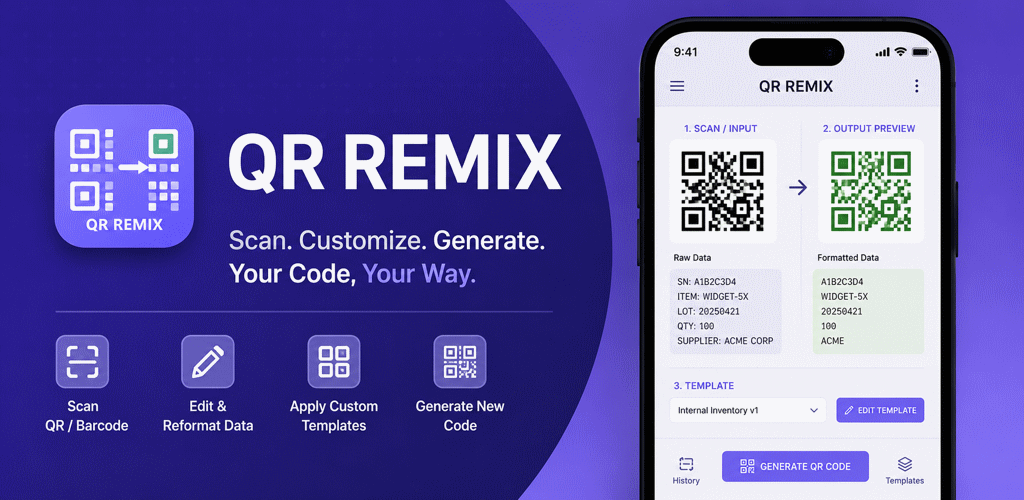
QR Remix is a free Android app built specifically for this workflow. It scans QR codes, applies saved templates to transform the content, and generates new QR codes from the result — all on-device, all offline.
It was designed for exactly the scenarios described above: operations teams, field workers, and anyone who processes QR data that needs to be reformatted before it's useful. The template builder supports character-range selection, fixed text segments, and saves templates between sessions so your team can standardize on a set of transformations.
For a fuller walkthrough of QR editing, Smart Fields, automatic serial numbers, date and time values, random IDs, barcode output, and one-tap batch progression, read QR Remix Turns QR Codes Into Reusable Workflows.
The bigger picture
QR codes in warehouse and inventory environments aren't going away — they're getting more common. As supply chains add more digital touchpoints, the number of different QR formats your team encounters will keep growing. Having a way to normalize that data at the point of scan, rather than in a back-office cleanup step, is a small operational change that compounds over time.
The question isn't whether you'll need to reformat QR data. It's whether you'll keep doing it by hand.